- OS X El Capitan (10.11.6)
- Android SDK (with tools and platform-tools)
- JDK 1.8
- Node.js v7.0.0 (brew install node)
- appium 1.6.0 (npm install -g appium)
- VirtualBox
- Genymotion (2.8.0) virtual device (requires an account - free for personal use)
- chrome.apk
- chromedriver (brew install chromedriver)
Steps:
- Start the Android Genymotion virtual device.

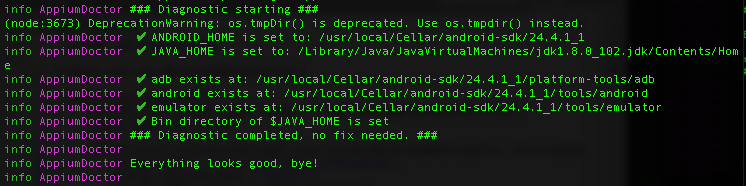
- Verify appium installation/setup using the ff command:
$ appium-doctor --android
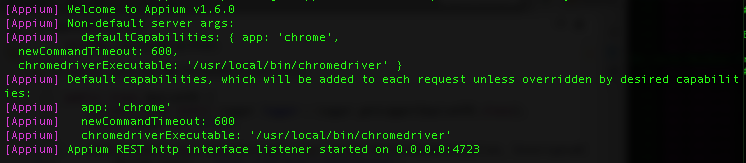
- Start appium using the ff command:
$ appium --default-capabilities android.json
where android.json:
{
"app":"chrome",
"newCommandTimeout":600,
"chromedriverExecutable":"/usr/local/bin/chromedriver"
}
- Run the following code:
import java.net.MalformedURLException;
import java.net.URL;
import java.util.concurrent.TimeUnit;

import org.openqa.selenium.By;
import org.openqa.selenium.WebDriver;
import org.openqa.selenium.WebElement;
import org.openqa.selenium.remote.DesiredCapabilities;
import org.openqa.selenium.remote.RemoteWebDriver;

public class AppiumAndroid {
 private static WebDriver driver;

 public static void main(String[] args) throws MalformedURLException, InterruptedException {
  String hubUrl = "http://127.0.0.1:4723/wd/hub";

  DesiredCapabilities capabilities = new DesiredCapabilities();
  capabilities.setCapability("deviceName", "Android Emulator");
  capabilities.setCapability("platformName", "Android");
  capabilities.setCapability("platformVersion", "7.0");
  capabilities.setCapability("browserName", "Chrome");
  capabilities.setCapability("app", "/Users/blago/Development/appium/chrome.apk");
  // http://www.apkmirror.com/apk/google-inc/chrome/chrome-54-0-2840-68-release/chrome-54-0-2840-68-3-android-apk-download/
  driver = new RemoteWebDriver(new URL(hubUrl), capabilities);
  driver.manage().timeouts().implicitlyWait(120, TimeUnit.SECONDS);

  String[] searchTerms = new String[] { "Bernard Lago Blogspot", "Bernard Lago Youtube",
    "Bernard Lago Google Plus" };

  for (int i = 0; i < searchTerms.length; i++) {
   googleSearch(searchTerms[i]);
   Thread.sleep(3000);
   getInfoUsingResultIndex(1); // 1 for the first link, 2 for 2nd
  }

  driver.quit();
  System.out.println("Done.");
 }

 public static void googleSearch(String searchString) {
  System.out.println("Search term: " + searchString);
  driver.navigate().to("https://www.google.com.ph/#q=" + searchString);
 }

 public static void getInfoUsingResultIndex(int index) {
  String firstLinkLocator = String.format("div.g:nth-child(%s) h3.r a", index);
  String firstCiteLocator = String.format("div.g:nth-child(%s) cite", index);
  WebElement firstLink = driver.findElement(By.cssSelector(firstLinkLocator));
  System.out.println("First Link URL: " + driver.findElement(By.cssSelector(firstCiteLocator)).getText());
  System.out.println("First link Page Title: " + firstLink.getText());
 }

}
Here's the screenshot of the actual execution.

You can also watch it here.
That's it. Thanks for visiting!
